
Introduction
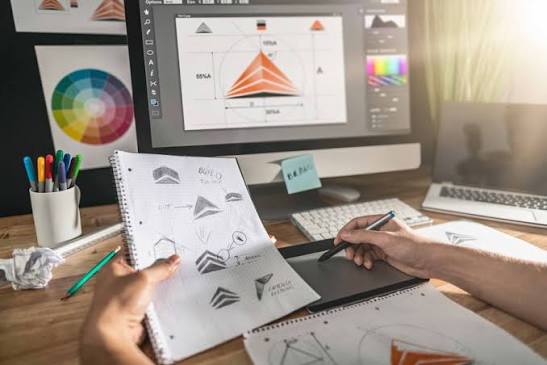
Visual design is one of the most important aspects of digital communication. Every website, mobile application, advertisement, product package, presentation, and social media post relies on visual design to communicate ideas effectively. It combines creativity with functionality, ensuring that users not only enjoy what they see but also understand the message quickly and easily.
In today’s digital world, users make decisions within seconds. A visually appealing interface builds trust, improves user engagement, and increases conversions. Whether you are designing a business website, an eCommerce store, a mobile app, or a marketing campaign, strong visual design creates memorable experiences that keep users engaged.
Modern visual design goes far beyond attractive colors and stylish fonts. It focuses on usability, accessibility, consistency, emotional impact, and user-centered thinking. Businesses that invest in high-quality visual design often experience better customer satisfaction, stronger branding, and improved online performance.
This comprehensive guide explores every aspect of visual design, from its fundamental principles to advanced techniques used by professional designers worldwide. Whether you are a beginner, a business owner, a UI designer, a graphic designer, or a digital marketer, this guide will help you understand how visual design influences user behavior and contributes to successful digital experiences.
What Is Visual Design?
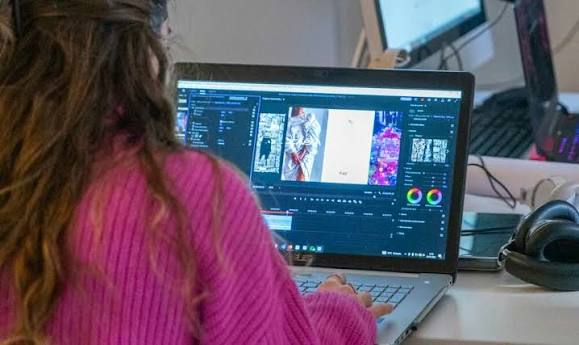
Visual design is the process of creating digital and physical experiences using visual elements such as color, typography, spacing, images, icons, shapes, textures, and layout. The primary goal is to communicate information clearly while creating aesthetically pleasing experiences.
Unlike traditional graphic design, visual design focuses heavily on user interaction. It ensures that interfaces are attractive, easy to navigate, and aligned with the goals of both users and businesses.
A successful visual design combines artistic creativity with strategic thinking. Every design decision—from selecting a font to choosing button colors—affects how users perceive and interact with a product.
Visual designers often collaborate with UX designers, developers, marketers, and brand strategists to create consistent digital experiences across multiple platforms.
Key Objectives of Visual Design
- Improve user experience
- Build brand identity
- Increase engagement
- Guide user attention
- Simplify complex information
- Enhance readability
- Create emotional connections
- Improve conversion rates
Why Visual Design Is Important
Visual design directly impacts how users interact with digital products. Research consistently shows that people form first impressions within seconds, and visual appearance plays a major role in those judgments.
Good visual design helps users quickly understand information, navigate interfaces efficiently, and trust the brand behind the product. Poor design, on the other hand, creates confusion, increases frustration, and can lead users to leave a website or application.
Businesses that prioritize visual design often experience:
- Higher engagement rates
- Lower bounce rates
- Better customer retention
- Increased brand recognition
- Improved conversion rates
- Greater customer trust
For eCommerce websites, strong visual design can influence purchasing decisions by making products more appealing and simplifying the buying process. For educational platforms, it enhances comprehension and keeps learners engaged. In mobile applications, it improves usability and encourages continued use.
Visual Design: The Ultimate Guide to Creating Stunning, User-Friendly, and High-Converting Designs
Meta Title: Visual Design: The Complete Guide to Principles, Elements, Tools & Best Practices (2026)
Meta Description: Learn everything about visual design, including principles, elements, typography, color theory, UI design, branding, accessibility, trends, and best practices in this complete SEO guide.
URL Slug: /visual-design-guide
Visual Design: The Complete Guide
Table of Contents
- Introduction
- What Is Visual Design?
- Why Visual Design Matters
- The History of Visual Design
- Key Objectives of Visual Design
- Core Principles of Visual Design
- Essential Elements of Visual Design
- Understanding Visual Hierarchy
- The Psychology Behind Visual Design
- Conclusion of Part 1
Introduction
Visual design is everywhere. Every website you visit, every mobile app you open, every advertisement you see, and every social media post you engage with has been shaped by visual design. It is much more than making things look attractive—it is the art and science of communicating ideas through visual elements that guide users, evoke emotions, and create meaningful experiences.
In today’s digital-first world, people form opinions within seconds. Whether someone lands on your business website, opens your application, or scrolls through your online store, the visual appearance immediately influences how they perceive your brand. A clean, professional design builds trust, while a cluttered or outdated design can drive visitors away before they even read your content.
Visual design combines creativity with functionality. It balances aesthetics and usability to ensure that users not only enjoy what they see but also accomplish their goals with ease. Successful visual design helps businesses improve engagement, increase conversions, strengthen brand identity, and provide exceptional user experiences.
From startups to global enterprises, organizations invest heavily in visual design because it directly impacts customer satisfaction and business success. A thoughtfully designed interface can make complex information easier to understand, highlight important actions, and encourage users to interact with confidence.
This comprehensive guide explores every aspect of visual design—from its basic concepts to advanced techniques used by professional designers. Whether you are a beginner, entrepreneur, web designer, UX professional, graphic designer, marketer, or student, this guide will provide practical knowledge that you can apply immediately.
What Is Visual Design?
Visual design is the process of arranging visual elements to improve communication, usability, and aesthetics. It involves creating layouts that are both attractive and functional, helping users understand information quickly while enjoying the overall experience.
Unlike decoration, visual design serves a purpose. Every color, font, image, icon, button, and spacing decision contributes to achieving specific goals.
Visual design includes:
- Typography
- Color palettes
- Layouts
- Images
- Icons
- Illustrations
- White space
- Shapes
- Patterns
- Textures
- Motion graphics
- User interface components
A visual designer carefully considers how these elements interact to create harmony and guide user attention.
For example, when designing an eCommerce website, visual design determines:
- Product image placement
- Button colors
- Typography choices
- Navigation layout
- Checkout experience
- Promotional banners
- Call-to-action buttons
Each decision influences whether users stay on the website, explore products, and complete purchases.
Why Visual Design Matters
Many people assume visual design is simply about making products beautiful. In reality, it plays a much larger role.
1. Creates Strong First Impressions
Studies consistently show that visitors judge a website within seconds. Clean layouts, balanced colors, and professional typography immediately build trust.
An outdated or poorly organized design can make even an excellent business appear unreliable.
2. Improves User Experience
Good visual design removes confusion.
Users quickly understand:
- Where to click
- What to read
- Which information is most important
- How to complete tasks
A well-designed interface reduces frustration and increases satisfaction.
3. Strengthens Brand Identity
Every successful company has a recognizable visual identity.
Brand identity includes:
- Logo
- Color palette
- Typography
- Icons
- Photography style
- Illustration style
- Layout consistency
Consistent visual design helps customers remember and trust a brand.
4. Increases Engagement
People naturally engage more with visually appealing content.
Good visual design encourages users to:
- Read articles
- Watch videos
- Browse products
- Share content
- Subscribe
- Purchase products
5. Improves Readability
Visual design enhances readability by organizing information into manageable sections.
Techniques include:
- Headings
- Subheadings
- Bullet points
- Line spacing
- Paragraph spacing
- Font selection
Readable content keeps visitors engaged longer.
6. Boosts Conversion Rates
Businesses often discover that redesigning a landing page increases:
- Sales
- Sign-ups
- Downloads
- Newsletter subscriptions
- Contact form submissions
Effective visual design guides users toward desired actions.
The History of Visual Design
Visual communication has existed for thousands of years.
Ancient civilizations used symbols, paintings, and carvings to share stories.
As printing technology advanced, typography became increasingly important. The Industrial Revolution introduced posters, newspapers, and advertisements that relied on visual hierarchy and composition.
The digital era transformed visual design completely.
The rise of:
- Websites
- Smartphones
- Tablets
- Smart TVs
- Wearables
- Virtual reality
- Augmented reality
created new opportunities and challenges for designers.
Today, visual design continues evolving with artificial intelligence, immersive interfaces, and personalized user experiences.
Key Objectives of Visual Design
Visual design aims to achieve multiple goals simultaneously.
Communicate Clearly
Users should understand information immediately.
Design reduces cognitive effort by presenting information logically.
Guide User Attention
Designers use:
- Size
- Color
- Contrast
- Position
- Motion
to direct attention toward important content.
Build Trust
Professional visual design creates credibility.
Users feel more confident interacting with polished interfaces.
Support Branding
Visual consistency reinforces company identity across websites, mobile apps, marketing materials, and social media.
Increase Accessibility
Good design ensures everyone—including people with disabilities—can access information.
Accessibility includes:
- Readable fonts
- Color contrast
- Keyboard navigation
- Alternative text
- Responsive layouts
Enhance Emotional Impact
Visual design influences emotions through:
- Color
- Photography
- Illustration
- Motion
- Typography
Different styles communicate different personalities.
Core Principles of Visual Design
Professional designers rely on timeless principles.
Balance
Balance distributes visual weight evenly.
There are three primary types:
Symmetrical Balance
Both sides mirror each other.
Creates:
- Stability
- Elegance
- Professionalism
Asymmetrical Balance
Different elements balance one another without perfect symmetry.
Feels:
- Dynamic
- Modern
- Creative
Radial Balance
Elements spread outward from a central point.
Common in:
- Logos
- Infographics
- Circular layouts
Contrast
Contrast creates distinction.
Designers use contrast between:
- Dark and light
- Large and small
- Thick and thin
- Bold and regular
- Color variations
Contrast improves readability and emphasizes important content.
Alignment
Alignment creates order.
Nothing should appear randomly placed.
Proper alignment improves:
- Organization
- Professionalism
- Readability
Repetition
Repeating design elements creates consistency.
Repeated elements include:
- Colors
- Buttons
- Icons
- Typography
- Layouts
Consistency improves usability.
Proximity
Related elements should stay together.
Grouping improves comprehension.
For example:
Product title
Price
Rating
Purchase button
These belong together because users naturally expect them as one group.
White Space
White space is empty space around elements.
It improves:
- Focus
- Readability
- Elegance
- User comfort
Luxury brands often use generous white space.
Emphasis
Important content should stand out.
Designers emphasize information using:
- Color
- Size
- Position
- Typography
- Motion
Unity
Everything should feel connected.
Colors, fonts, spacing, and layouts should support one another.
Unity creates polished designs.
Essential Elements of Visual Design
Principles explain how to arrange content.
Elements are the actual building blocks.
Color
Color affects emotion more than any other design element.
Different colors communicate different meanings.
Blue often represents:
- Trust
- Reliability
- Technology
Green often represents:
- Nature
- Growth
- Health
Red often communicates:
- Energy
- Passion
- Urgency
Yellow suggests:
- Optimism
- Happiness
- Creativity
Black often represents:
- Luxury
- Sophistication
- Power
Choosing the right palette is essential for branding.
Typography
Typography includes:
- Font family
- Font size
- Font weight
- Letter spacing
- Line height
- Hierarchy
Professional typography improves readability and visual appeal.
Images
High-quality photography captures attention quickly.
Images should:
- Support the message
- Match the brand
- Load quickly
- Remain responsive
Icons
Icons simplify communication.
Well-designed icons reduce reading time and improve navigation.
Shapes
Shapes influence perception.
Circles suggest unity.
Squares suggest stability.
Triangles suggest movement and direction.
Texture
Textures add depth.
Digital textures create realistic interfaces while maintaining simplicity.
Patterns
Patterns create rhythm and consistency.
Many brands use subtle background patterns to reinforce identity.
Understanding Visual Hierarchy
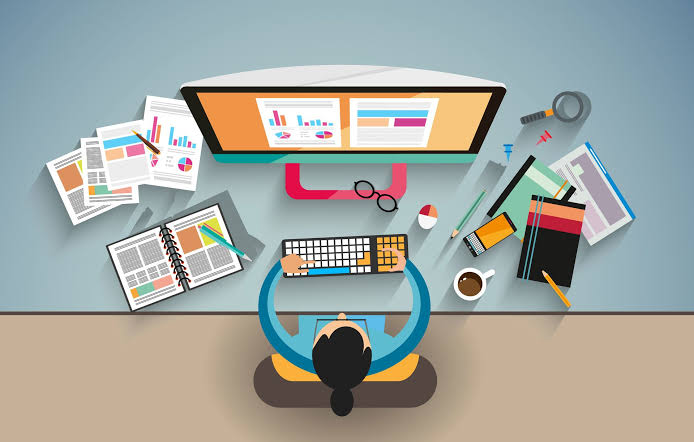
Visual hierarchy determines what users notice first.
Designers control hierarchy using:
Size
Large elements receive more attention.
Headlines should be larger than body text.
Color
Bright colors naturally attract the eye.
Call-to-action buttons often use vibrant colors.
Position
Users typically scan pages from top to bottom.
Critical information belongs near the top.
Contrast
High contrast highlights key information.
Typography
Bold headlines establish structure.
Different heading levels guide readers through content.
The Psychology Behind Visual Design
Humans process visuals much faster than text. Colors, shapes, spacing, and imagery all influence emotions and decisions, often subconsciously.
For example:
- Warm colors like red and orange can create excitement or urgency.
- Cool colors like blue and green often convey trust and calmness.
- Rounded shapes feel friendly and approachable.
- Sharp angles can communicate precision, energy, or innovation.
- Ample white space gives a sense of luxury and clarity, while crowded layouts may feel overwhelming.
Understanding these psychological effects helps designers create experiences that align with user expectations and business goals.
FAQS
1. What is visual design?
Visual design is the process of using elements like color, typography, images, spacing, and layout to create attractive and functional digital or print experiences. Its goal is to improve communication, usability, and the overall user experience while strengthening a brand’s identity.
2. Why is visual design important?
Visual design is important because it creates strong first impressions, improves user engagement, enhances readability, builds trust, and helps guide users toward desired actions such as making a purchase, signing up, or exploring more content.
3. What are the main principles of visual design?
The key principles of visual design include balance, contrast, alignment, repetition, proximity, white space, emphasis, hierarchy, and unity. These principles help designers create visually appealing, organized, and user-friendly designs.
4. What is the difference between visual design and graphic design?
Graphic design primarily focuses on creating visual content for branding, marketing, and print materials, while visual design emphasizes digital interfaces, user experience, and interactive products such as websites and mobile applications.
5. How can I improve my visual design skills?
You can improve your visual design skills by learning design principles, practicing with tools like Figma or Adobe XD, studying successful designs, understanding color theory and typography, seeking feedback, and staying updated with the latest design trends.
Conclusion
Visual design plays a vital role in creating engaging, functional, and memorable digital experiences. By applying design principles, choosing the right visual elements, and focusing on user needs, designers can build products that are attractive, accessible, and effective. Mastering visual design helps businesses strengthen their brand, improve user satisfaction, and achieve long-term success.