
Introduction
In today’s digital world, users interact with hundreds of websites, mobile applications, and software platforms every day. The quality of these interactions often depends on one important factor: Interface Design. A well-designed interface helps users complete tasks easily, find information quickly, and enjoy a smooth digital experience.
Interface Design is more than choosing attractive colors or creating beautiful layouts. It is the process of designing the visual and interactive elements of a digital product so that users can communicate effectively with technology. From buttons and menus to navigation systems and screen layouts, every element plays an important role in creating a successful user experience.
Companies around the world invest heavily in interface design because a simple, clear, and engaging interface can improve customer satisfaction, increase conversions, and build trust. Whether it is a banking application, an online store, a social media platform, or a business website, the interface determines how easily users can interact with the product.
This complete guide explains what interface design is, why it matters, its key principles, different types, the design process, common tools, and future trends shaping the industry.
What Is Interface Design?
Interface Design is the practice of creating the visual and interactive parts of a digital product that allow users to communicate with a system. It focuses on how users see, understand, and control digital experiences.
A digital interface includes many different elements, such as:
- Buttons
- Icons
- Menus
- Forms
- Images
- Typography
- Colors
- Layout structures
- Animations
- Navigation systems
The main goal of interface design is to make technology simple and enjoyable for users. A good interface reduces confusion and allows people to complete their goals without unnecessary effort.
For example, when using a shopping website, users expect to easily search for products, add items to their cart, make payments, and track orders. If the interface is complicated or confusing, users may leave the website and choose another option.
Why Is Interface Design Important?
Interface Design has become an essential part of modern digital products because users judge a platform within seconds of opening it. A professional and user-friendly interface can create a positive first impression.
1. Improves User Experience
A good interface helps users understand how a product works. Clear navigation, readable content, and organized layouts make the experience smoother.
When users can complete tasks quickly without frustration, they are more likely to return and recommend the product to others.
2. Builds Brand Identity
The interface of a website or application represents the personality of a brand. Colors, fonts, images, and design styles help users recognize and remember a company.
For example, a modern technology company may use a clean and minimal interface, while a creative brand may use bold colors and unique visual elements.
3. Increases Customer Engagement
An attractive and easy-to-use interface encourages visitors to spend more time on a platform. Interactive elements, personalized content, and smooth navigation can increase engagement.
4. Reduces User Errors
A carefully designed interface guides users and prevents mistakes. Clear instructions, helpful messages, and logical layouts make tasks easier.
For example, a well-designed checkout page reduces payment mistakes by showing users exactly what information they need to provide.
5. Improves Business Results
Businesses use interface design to achieve goals such as:
- More sales
- Higher customer retention
- Better customer satisfaction
- Increased website conversions
A confusing interface can cause users to abandon a website, while an effective interface can encourage them to complete purchases or sign up for services.
Difference Between Interface Design and User Experience Design

Many people confuse Interface Design with User Experience (UX) Design. Although they are connected, they focus on different areas.
Interface Design (UI Design)
Interface Design focuses on the appearance and interaction of a product.
It includes:
- Visual design
- Colors
- Typography
- Buttons
- Icons
- Screen layouts
- Interactive elements
The main question of interface design is:
“How does the product look and how do users interact with it?”
User Experience Design (UX Design)
UX Design focuses on the overall experience users have with a product.
It includes:
- User research
- Customer needs
- Product structure
- User journeys
- Usability testing
The main question of UX design is:
“How easy and satisfying is the product to use?”
A successful digital product usually requires both strong UX and effective interface design.
Key Principles of Interface Design
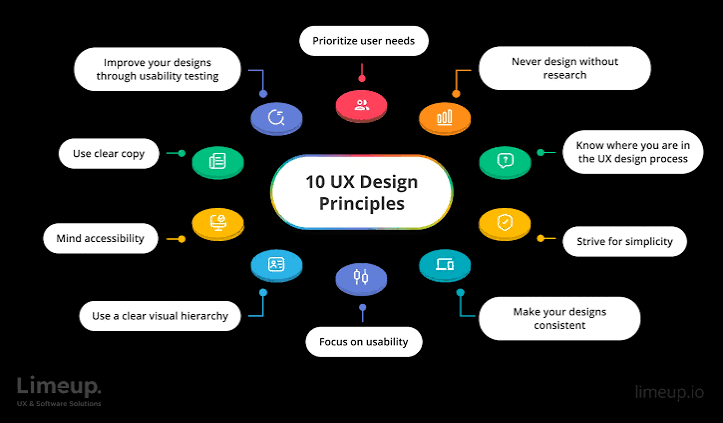
Creating an effective interface requires following important design principles. These principles help designers create products that are easy, attractive, and functional.
1. Simplicity
The best interfaces are simple and easy to understand. Too many features, colors, or unnecessary elements can confuse users.
A simple design focuses on important information and removes distractions.
Examples of simplicity include:
- Clean layouts
- Clear buttons
- Simple navigation
- Limited color usage
2. Consistency
Consistency helps users understand how a product works. Similar elements should look and behave in the same way throughout the interface.
For example:
- All buttons should follow a similar style
- Navigation menus should remain consistent
- Fonts should be used systematically
Consistency creates familiarity and reduces learning time.
3. Visual Hierarchy
Visual hierarchy helps users identify the most important information first.
Designers use:
- Different font sizes
- Colors
- Spacing
- Positioning
- Contrast
to guide user attention.
A strong visual hierarchy allows users to quickly understand the purpose of each page.
4. User Feedback
An interface should respond to user actions. Feedback helps users understand whether their actions were successful.
Examples:
- A message after submitting a form
- A loading animation during processing
- A confirmation after payment
Without feedback, users may feel uncertain and repeat actions unnecessarily.
5. Accessibility
Modern interface design should be accessible to everyone, including people with disabilities.
Accessibility practices include:
- Readable text sizes
- Strong color contrast
- Keyboard navigation support
- Alternative text for images
- Clear instructions
An accessible interface creates a better experience for a wider audience.
Types, Elements, Process, and Best Practices
Types of Interface Design
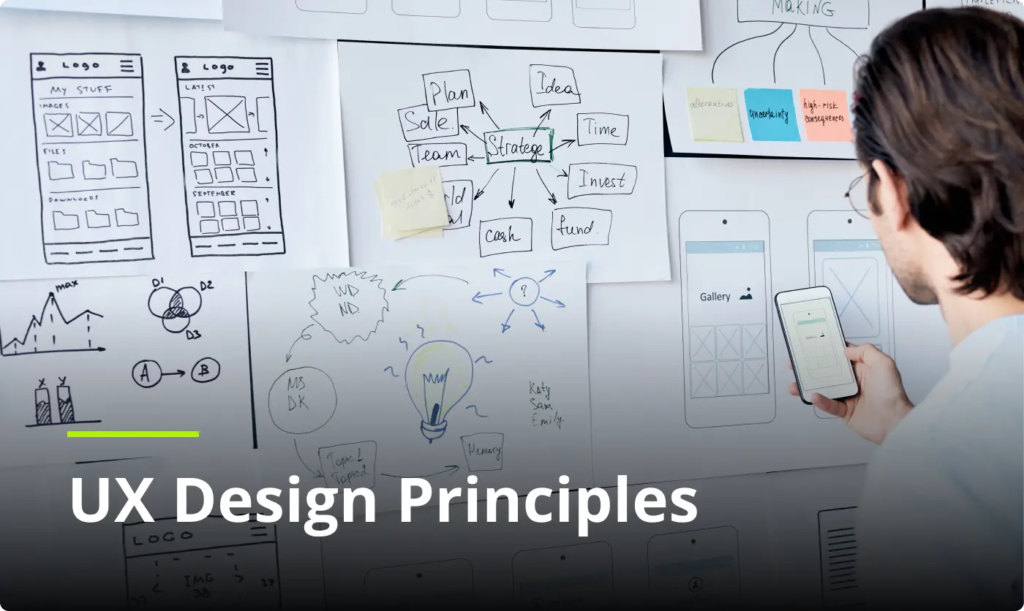
Interface Design is used in many areas of technology. Different types of interfaces are created depending on the needs of users and the purpose of the product.
1. Graphical User Interface (GUI)
A Graphical User Interface, commonly known as GUI, is the most popular type of interface used today. It allows users to interact with digital systems through visual elements such as icons, buttons, windows, and menus.
Examples of GUI include:
- Websites
- Mobile applications
- Desktop software
- Online platforms
A good GUI makes complex systems easier by presenting information in a visual and understandable way.
For example, instead of writing computer commands, users can click icons and buttons to perform actions.
2. Mobile Interface Design
Mobile Interface Design focuses on creating experiences specifically for smartphones and tablets.
Because mobile screens are smaller than desktop screens, designers must carefully organize information and interactions.
Important factors in mobile interface design include:
- Touch-friendly buttons
- Simple navigation
- Fast loading speed
- Responsive layouts
- Easy access to important features
A successful mobile interface allows users to complete tasks quickly while using minimal effort.
3. Voice User Interface (VUI)
Voice User Interface allows users to interact with technology through spoken commands.
Examples include:
- Voice assistants
- Smart home devices
- Voice search systems
Instead of clicking buttons, users can ask questions or give commands using their voice.
Voice interfaces require special attention to:
- Natural language understanding
- Clear responses
- User privacy
- Accurate voice recognition
4. Touch Interface Design
Touch interfaces allow users to interact directly with screens using gestures.
Common touch interactions include:
- Tapping
- Swiping
- Pinching
- Scrolling
- Dragging
Touch interface design is widely used in:
- Smartphones
- Tablets
- Smart watches
- Interactive displays
Designers must create elements that are large enough and comfortable for users to interact with.
5. Conversational Interface Design
Conversational interfaces allow users to communicate with systems through text or conversation.
Examples include:
- Chatbots
- Customer service assistants
- Messaging-based applications
A successful conversational interface should feel natural and provide helpful responses.
Businesses use conversational interfaces to improve customer support and provide faster solutions.
Essential Elements of Interface Design
A successful interface is created by combining multiple design elements. Each element contributes to usability and visual appeal.
1. Layout
Layout refers to how information and elements are arranged on a screen.
A good layout creates:
- Organization
- Balance
- Easy navigation
- Better readability
Designers use grids and spacing systems to create structured layouts.
A poor layout can make users feel overwhelmed, while a balanced layout improves understanding.
2. Typography
Typography is the use of fonts and text styles in design.
Good typography improves:
- Readability
- Professional appearance
- Content organization
Important typography factors include:
- Font selection
- Font size
- Line spacing
- Text alignment
- Font weight
A website with difficult-to-read text can negatively affect the user experience.
3. Color Design
Colors influence emotions and user behavior. Choosing the right colors helps create a strong visual identity.
Colors can communicate:
- Trust
- Energy
- Professionalism
- Creativity
- Security
For example:
- Blue is often associated with trust and reliability.
- Green is commonly connected with growth and success.
- Red can represent urgency or excitement.
Professional interface designers carefully select colors based on brand goals and user expectations.
Frequently Asked Questions (FAQs) About Interface Design
1. What is Interface Design?
Interface Design is the process of creating the visual and interactive elements of a digital product, such as websites, mobile apps, and software. It focuses on making digital experiences simple, attractive, and easy for users to understand and navigate.
2. Why is Interface Design important?
Interface Design is important because it improves usability, enhances user satisfaction, builds brand trust, and helps businesses achieve better results. A well-designed interface allows users to complete tasks faster and creates a positive experience.
3. What are the main elements of Interface Design?
The main elements of Interface Design include layout, colors, typography, icons, buttons, images, navigation systems, and interactive features. These elements work together to create a smooth and effective user experience.
4. What is the difference between UI Design and UX Design?
UI Design focuses on the appearance and interactive elements of a product, while UX Design focuses on the overall user experience, including usability, research, and customer needs. Both are important for creating successful digital products.
5. Which tools are commonly used for Interface Design?
Popular Interface Design tools include Figma, Adobe XD, Sketch, and other prototyping platforms. These tools help designers create layouts, prototypes, and interactive designs.
Conclusion
Interface Design plays a major role in creating successful digital experiences. A well-planned interface helps users interact with technology easily, improves engagement, and supports business growth. By focusing on simplicity, usability, accessibility, and visual quality, designers can create interfaces that are attractive, functional, and valuable for users.