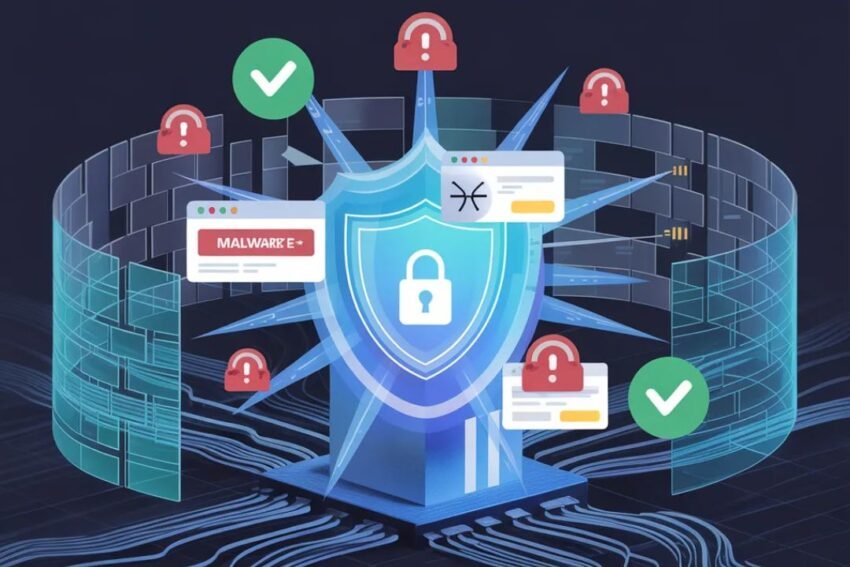
The internet has become an essential part of modern life. From online banking and shopping to social media and remote work, people rely on the internet for countless daily activities. However, as digital connectivity increases, so do the risks associated with cyber threats.
Cybercriminals constantly develop new techniques to steal personal information, spread malware, and gain unauthorized access to accounts. Without proper security practices, anyone can become a victim of cybercrime.
This Internet Safety Guide provides ten powerful cybersecurity tips that everyone should know to stay safe online and protect their digital identity.
Why Internet Safety Is Important
Every day, millions of people share personal data online without realizing the potential risks. Hackers often target individuals through phishing scams, weak passwords, and insecure networks.
Poor cybersecurity habits can lead to serious consequences such as:
- Identity theft
- Financial fraud
- Data breaches
- Loss of personal files
- Unauthorized account access
Understanding internet safety and practicing good cybersecurity habits can significantly reduce these risks.
1. Use Strong and Unique Passwords
One of the simplest yet most effective ways to protect your online accounts is by using strong passwords. Weak passwords are easy for hackers to guess using automated tools.
A strong password should include:
- At least 12 characters
- Uppercase and lowercase letters
- Numbers
- Special symbols
Avoid using personal information such as birthdays or names in your passwords. Also, never use the same password for multiple accounts.
2. Enable Two-Factor Authentication (2FA)
Two-factor authentication adds an extra layer of protection to your online accounts. Even if someone manages to steal your password, they will still need the second verification step to access your account.
This verification may include:
- A code sent to your phone
- An authentication app
- A biometric scan such as fingerprint or face recognition
Many major online platforms now offer 2FA as a security feature.
3. Be Careful with Emails and Messages
Phishing attacks are one of the most common cyber threats. Hackers send fake emails or messages that appear to come from trusted organizations such as banks, online stores, or social media platforms.
These messages often ask users to click a link or provide sensitive information.
To stay safe:
- Avoid clicking suspicious links
- Verify the sender’s email address
- Never share passwords through email
If something seems unusual, it is better to ignore the message.
4. Keep Your Software Updated
Software updates are not only for adding new features—they also fix security vulnerabilities that hackers may exploit.
Make sure to regularly update:
- Your operating system
- Web browsers
- Mobile apps
- Antivirus software
Enabling automatic updates is a good way to ensure your devices stay protected.
5. Use Secure Wi-Fi Networks
Public Wi-Fi networks in places such as cafes, airports, and hotels can be convenient, but they are often less secure.
Hackers can intercept data transmitted over unsecured networks.
To reduce risks:
- Avoid accessing sensitive accounts on public Wi-Fi
- Use a Virtual Private Network (VPN)
- Turn off automatic Wi-Fi connections on your device
Using secure networks helps protect your personal data.
6. Install Reliable Antivirus Software
Antivirus software helps detect and remove malicious programs such as viruses, spyware, and ransomware.
Modern cybersecurity software provides features like:
- Real-time threat detection
- Malware removal
- Web protection
- Email security scanning
Regular system scans can help identify potential threats before they cause damage.
7. Protect Your Personal Information
Sharing too much personal information online can make you vulnerable to identity theft and scams.
Be cautious about what you share on:
- Social media platforms
- Online forums
- Public websites
Limit the amount of personal information visible on your profiles, and adjust privacy settings whenever possible.
8. Back Up Your Important Data
Data loss can occur due to cyberattacks, hardware failure, or accidental deletion. Creating regular backups ensures that your important files remain safe.
You can store backups on:
- External hard drives
- Cloud storage services
- Secure backup servers
Regular backups make it easier to recover your data if something goes wrong.
9. Monitor Your Online Accounts
Regularly checking your accounts can help you detect suspicious activity early.
Signs of potential cyber threats may include:
- Unrecognized login attempts
- Unexpected password changes
- Unknown financial transactions
If you notice unusual activity, immediately update your password and notify the relevant service provider.
10. Educate Yourself About Cyber Threats
Cybersecurity threats continue to evolve as technology advances. Staying informed about common scams and new attack methods can help you avoid becoming a victim.
Reading cybersecurity news, following trusted technology sources, and learning basic online safety practices can significantly improve your digital protection.
The more aware you are of potential threats, the better prepared you will be to defend against them.
The Future of Internet Safety
As digital technologies continue to expand, cybersecurity will play an increasingly important role in protecting individuals and organizations.
Emerging technologies such as artificial intelligence, biometric authentication, and blockchain security systems are expected to strengthen online protection in the future.
However, technology alone cannot guarantee safety. Responsible online behavior and awareness will always remain essential components of internet security.
Conclusion
The internet offers countless opportunities for communication, learning, and business, but it also comes with certain risks. Cybercriminals are constantly searching for vulnerabilities, making it important for users to adopt strong cybersecurity habits.
By following these ten powerful internet safety tips—such as using strong passwords, enabling two-factor authentication, avoiding suspicious emails, and protecting personal information—you can significantly reduce the risk of cyber threats.
Staying informed and practicing good cybersecurity habits will help ensure a safer and more secure online experience for everyone.